Website Design
Online Booking vs Quote Forms for Home Service Websites
A homeowner with a dripping kitchen faucet wants a time slot. A homeowner who wants a second-story deck wants someone to come look first. Both people might land on the same contact page, and the site hands them the same seven-field form with “We’ll get back to you” at the bottom.
Online booking for a home service business works when the job is small enough to schedule without a site visit. A quote form works when it isn’t. Your shop may need both. The trick is deciding which jobs go where before anyone touches the website.
Sort your jobs before you pick a tool
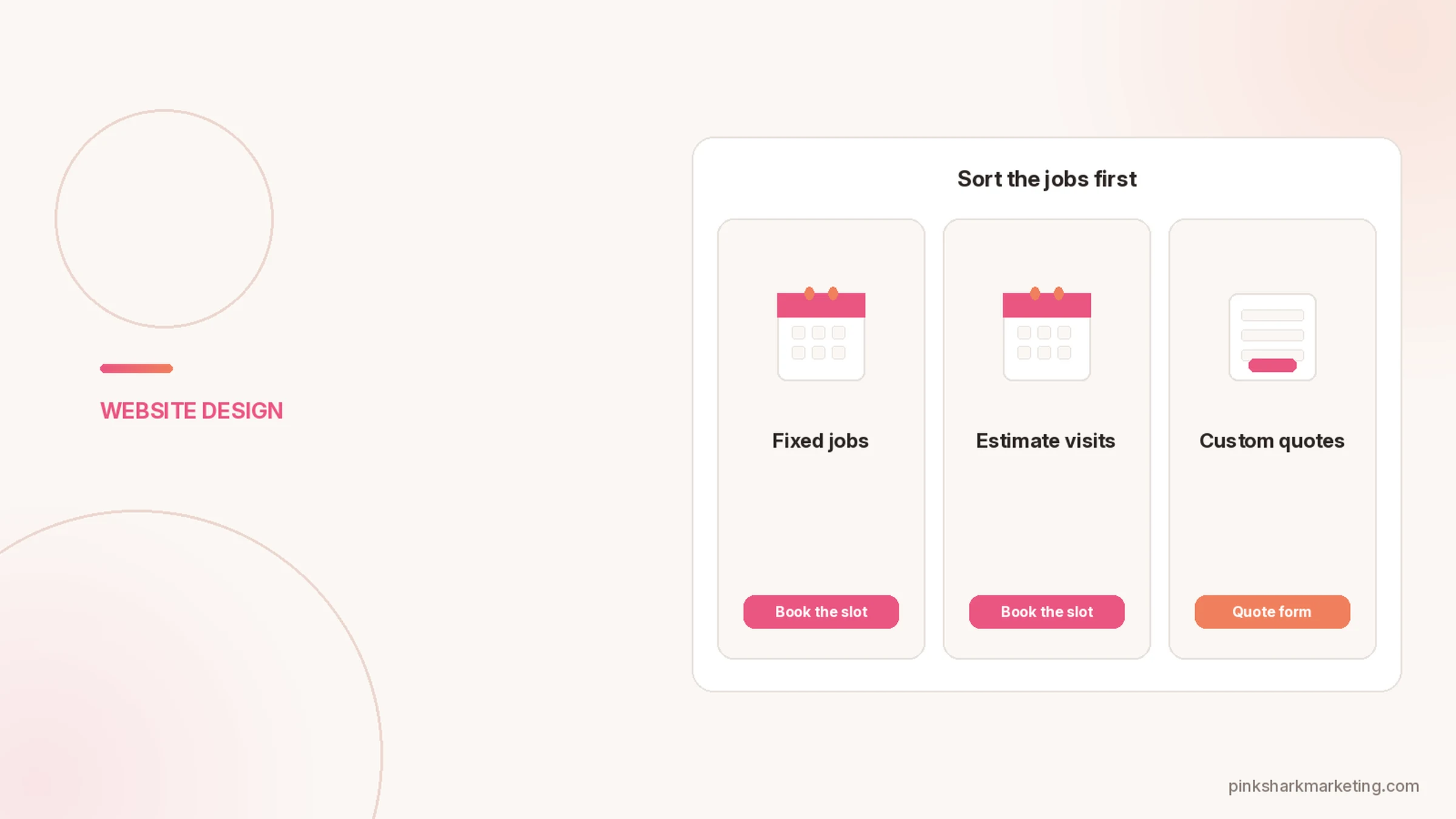
Pull your last few months of work orders and split them into three piles. This is a practical step, not a rule from any platform.
- Fixed jobs. Same scope almost every time, a known time block, a price range you already quote over the phone. A furnace tune-up, a dryer vent cleaning, a water heater flush.
- Estimate visits. The job varies too much to price blind, but the first step is always the same: a tech or estimator shows up and looks. A roof leak, a panel upgrade, a bathroom remodel.
- Custom quotes. You need photos, measurements or plans before you even schedule a visit. Commercial work and bigger renovations often land here.
Fixed jobs are the natural fit for a booking calendar. Estimate visits can be booked too, as long as the calendar is booking the visit and not the job. Custom quotes belong on a form that asks the right questions.
When online booking is the better choice
Booking takes the back-and-forth out of the first step. The customer picks a slot, gets a confirmation, and your dispatcher doesn’t spend a morning playing phone tag.
It also has a cost. Your calendar has to be honest. If the booking tool shows Tuesday at 9 and your only tech is already booked across town, you’ve traded one phone call for an angrier one. Before turning booking on, decide who owns the calendar, how much travel time sits between slots, and which ZIP codes are allowed. A booking page that accepts a job forty miles outside your service area is worse than a plain form.
Fictional example, not a client: a two-truck HVAC shop in Sylvania, near Toledo, puts only fall furnace tune-ups on its booking page, in two-hour arrival windows, for its own list of ZIP codes. Repairs and replacements still go to a quote form. In that setup, a tune-up can be booked without the office calling anyone back, and the estimator’s day isn’t eaten by tune-up scheduling.
When a quote form is the better choice
A quote form gives you room to ask questions before you commit a truck. That matters when the answer changes who you send, what they bring or whether you take the job at all.
Keep the form short anyway. Every field should change what happens next. Name, phone, email, address or ZIP, the type of work, and one open box for details is a reasonable start. A photo upload is worth adding for trades where a picture saves a trip, like roofing, fencing or water damage.
What hurts a quote form is silence after the click. If the thank-you message says “someone will contact you,” say when. “We call back within one business hour, 7 to 5, Monday to Friday” sets an expectation the customer can hold you to. Only write a promise your office can keep.
Build either one so it works on a phone
Assume the person filling it out is on a phone, maybe standing in the yard, maybe with one hand on a ladder. A few web standards make that easier, and they cost nothing to use.
Use the right input types. The web.dev forms course says type=”tel” gives mobile users an adapted on-screen keyboard for phone numbers, and type=”email” does the same for email addresses. Adding the required attribute makes the browser check that the field has a value, and for email fields, that the address is well formatted. For a longer description, use a textarea, which lets the person see what they typed and can be resized.
Let the browser fill in what it already knows. The same course explains that the autocomplete attribute helps browsers offer the right saved values, with options for postal code, email and many others. It also says to use a single input for numbers such as telephone numbers so browsers can offer autofill. Splitting a phone number into three tiny boxes breaks that.
If photos help you quote, an input with type=”file” lets people upload them, and it can allow more than one file at once.
Label every field. WCAG 2.2 success criterion 3.3.2, Labels or Instructions, is Level A and asks for labels or instructions when content requires user input. The W3C’s explanation adds that labels should stay available to the user, and that too much instruction can be as harmful as too little. A gray placeholder that vanishes when someone starts typing is a weak substitute for a real label.
Add the booking link to your Google Business Profile, if it’s offered
Some customers never open your website. They tap a button on your Business Profile instead. Google’s help page on business links says a profile can carry links that help customers book an appointment, make a reservation or place an order, with up to 10 links per category. If you have more than one booking link, you can set one as “Business preferred.”
Two details are easy to miss. Third-party booking providers can add links to your profile on their own, and you can’t delete those from your profile settings. Google says you contact the provider to opt out, providers are required to process those requests within 5 business days, and you can report a violation if they don’t. Check your profile every so often for links you didn’t add.
If your profile shows a Booking option, point it at the page where someone can actually pick a time. If you only take quote requests, a booking button that opens a quote form is likely to confuse people.
Track bookings and quote requests as separate conversions
If you run Google Ads, a booked slot and a quote request are not the same lead. Set them up as separate conversion actions so you can see which campaigns fill the calendar and which ones bring in bigger estimates.
Google’s counting options page says lead-type actions are usually better counted as “One” conversion per ad click, since one unique lead per click is what adds value, while “Every” fits sales. “Every” is the default for website conversion actions, so check the setting rather than assume. Changes to the count setting only apply to future conversions.
Then follow each lead past the form. A booking that no-shows and a quote that turns into a signed contract each count as one conversion when the form or booking goes through. Your CRM is where you find out which one paid.
Using both on one site
Here’s a simple split. Put “Book a tune-up” or “Schedule a drain cleaning” on the service pages for fixed jobs. Put “Request a quote” on the pages for bigger work. On the contact page, offer both, with one plain line under each button so people know which to pick.
Keep the phone number visible on every version. Some people will never book online, and for an emergency, they shouldn’t have to.
If your site’s forms and booking flow need a rebuild, see website design or landing pages and CRO. For routing those leads into a follow-up process, see CRM automation, or contact Pink Shark.
FAQ
Should a home service business offer online booking?
For jobs with a predictable scope and time block, often yes, as long as the calendar reflects real availability and your service area. For jobs that need a site visit or photos first, a quote form or a booked estimate visit usually works better.
How many fields should a quote form have?
Only as many as change what happens next. Name, phone, email, address or ZIP, the type of work and one details box is a reasonable start. Add a photo upload if pictures save your team a trip.
Can I add a booking button to my Google Business Profile?
Google’s help page describes links for booking appointments, with up to 10 links per category and an option to set a preferred one. Third-party providers can also add booking links, and those have to be removed through the provider.
Should bookings and quote requests be one conversion in Google Ads?
Keep them separate so you can see which campaigns drive each. For lead-type actions, Google’s counting options page describes “One” conversion per click as the usual fit, and “Every” is the default for website actions, so check the setting.
Want a second set of eyes on your marketing?
Tell us about your business and we’ll set up a strategy session.