Lead Generation
Lead Follow Up Sequence for Service Businesses: Text, Call, Email
A plumber can text a new lead in two minutes, go quiet for three days, and still lose the job to the shop that called again that night. The first reply was fine. The silence after it was the problem. A lead follow up sequence is the plan for those later attempts: who contacts the person, on which channel, and when to stop.
This post is for local service shops that already get forms, calls or ad leads and want a simple text, call and email plan after the first touch. It is not a missed-call text-back guide, and it does not give legal advice on texting or email.
Get the lead out of the inbox before the sequence starts
A sequence only works if someone sees the lead in time to use it. For Google Ads lead form assets, that is a setup question, not a willpower question.
Those leads can be downloaded as a CSV, sent to an email address, or passed into a CRM. For rapid follow-up, the lead form help page recommends a webhook integration or a Zapier integration that routes the lead into a CRM. A webhook sends the lead data to the CRM in an HTTP POST immediately after the form is submitted. Zapier, on the same help pages, is described as sending new leads in near real time.
Two housekeeping rules sit next to that. Leads in the ad account are only stored for 60 days, so they need to be downloaded often if there is no automatic export. A single lead may also arrive more than once, and the help page says to use lead_id to keep duplicates from looking like new people. Before going live, use Send test data and confirm the CRM actually received the test lead.
Website forms are a different pipe, and those Google pages do not cover them. The same idea still applies, as practical advice: send the form to a phone or a shared inbox that someone is watching, not to a plugin nobody opens on weekends.
What to say in the first text, call and email
The first round should sound like a person who read the request, not like a ticket number. Keep the facts the lead already gave you, and say when you will try again if they miss you.
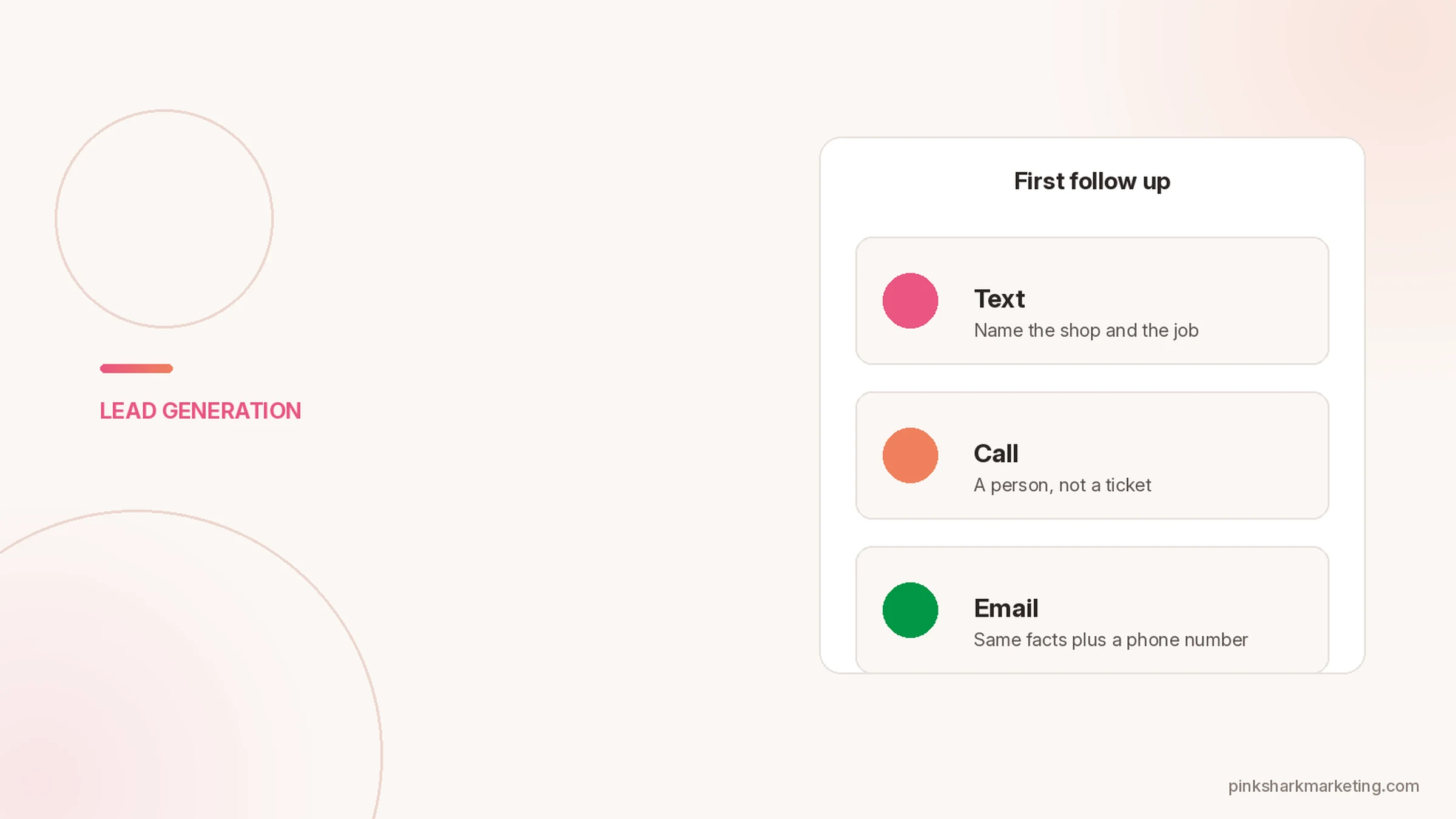
A short text can name the shop, name the job, and give a time window. “Hi Dana, this is Mike at Harbor Plumbing. Got your note about the water heater on 4th Street. I’ll call in the next 15 minutes.” An email can carry the same facts plus a phone number, in case the text lands in a filter. The first call should start with those same details so the person does not have to repeat the story to a stranger.
If the call goes to voicemail, leave a short message and send a follow-up text that a voicemail is waiting. Plenty of people will not play a message from an unknown number. They will read a text.
Write this as a script the whole crew can use, then let people loosen the wording so it does not sound copied. The samples above are illustrative, not a required script.
A practical lead follow up sequence for the first few days
Google’s lead form pages tell you how to deliver the lead quickly. They do not give a day-by-day contact schedule. The plan below is a practical sample for a service shop, not a researched booking rate and not a rule from Google.
- Minute 0: an automatic text and email that names the shop and the request, and says a person will call.
- First hours: a live call, if someone is on duty. If no one can take it, the auto-reply should say when you will call, not “we’ll be in touch.”
- Same day, if the first call is missed: one more call, a voicemail, and a short text.
- Next morning, for an evening or weekend lead: one call and a brief email that repeats the original request.
- Day 2 or 3: one last live attempt. After that, either stop or move to a slower check-in, such as one message a few days later.
Change the timing when the job is urgent. A leaking water heater or a no-heat call should stay on the same-day path. A planned water-heater replacement can stretch a little. What should not change is ownership. One named person owns the lead until it is booked, declined or closed out. If that person is on a job, the lead rolls to the next person on the list instead of sitting in a pocket.
Fictional example, not a client: a roofing company in Long Beach gets a form at 5:47 p.m. on a Friday. The homeowner gets a text in a minute and a call at 5:52. No answer. The estimator leaves a voicemail, sends a text, and calls again at 8:30 the next morning. The job gets booked on that Saturday call. In that story, the Monday-morning version of the same lead reaches someone who already hired the shop that called Friday night.
Know when to stop, and stay inside the rules
A sequence that never ends turns into pestering. If the person says no, stop. If they ask for a later date, put that date on the calendar and wait. If they never reply after the attempts above, close the lead in the CRM so it does not bounce from person to person for weeks.
Texting and commercial email both have rules. Get consent on the form if you text, and include a way to opt out. Ask your CRM or texting provider how they handle consent and opt-outs, and if you are unsure, check with your own attorney. This post is not legal advice.
What to record so the sequence can be improved
Track a few dates on every lead: when it arrived, when the first human reply went out, how many attempts followed, which channel got a reply, and whether a job was booked. Most CRMs can store those fields. Look at them once a week.
Two patterns show up often. Leads that arrive after closing time sit until morning, which is a staffing issue, not a copy issue. Leads that get one call and a voicemail, then nothing, point to a missing second and third attempt. Fix the pattern you actually have.
If you want help wiring form and ad leads into a follow-up process, see CRM automation or contact Pink Shark. For the ads side of lead capture, see Google Ads management.
FAQ
How many times should I follow up with a new lead?
There is no official number in the Google help pages cited here. The sample sequence in this post uses a first-day burst, a next-morning attempt for after-hours leads, and one later try, then a stop or a slower check-in. Treat that as a starting plan and adjust it from your own booking records.
Should the first reply be a text, a call or an email?
Use more than one channel, because people ignore unknown numbers and also miss emails. A short text and email can go out at once, then a live call as soon as someone is free. The help pages on lead forms are about delivering the lead to your CRM quickly, not about which channel the customer will answer.
Do Google Ads lead forms need a CRM?
No. Those leads can be downloaded as a CSV, sent by email, or viewed in Lead Manager. For rapid follow-up, the help page recommends a webhook or Zapier integration into a CRM, and it notes that leads are only stored for 60 days.
Can I keep texting someone who never replies?
Do not assume silence is permission to keep going. Get consent on the form, include a way to opt out, and stop if the person asks you to. The details sit with carriers and federal rules, so ask your provider and, if needed, your attorney. This is not legal advice.
Want a second set of eyes on your marketing?
Tell us about your business and we’ll set up a strategy session.