SEO
Local Keyword Research for Service Businesses
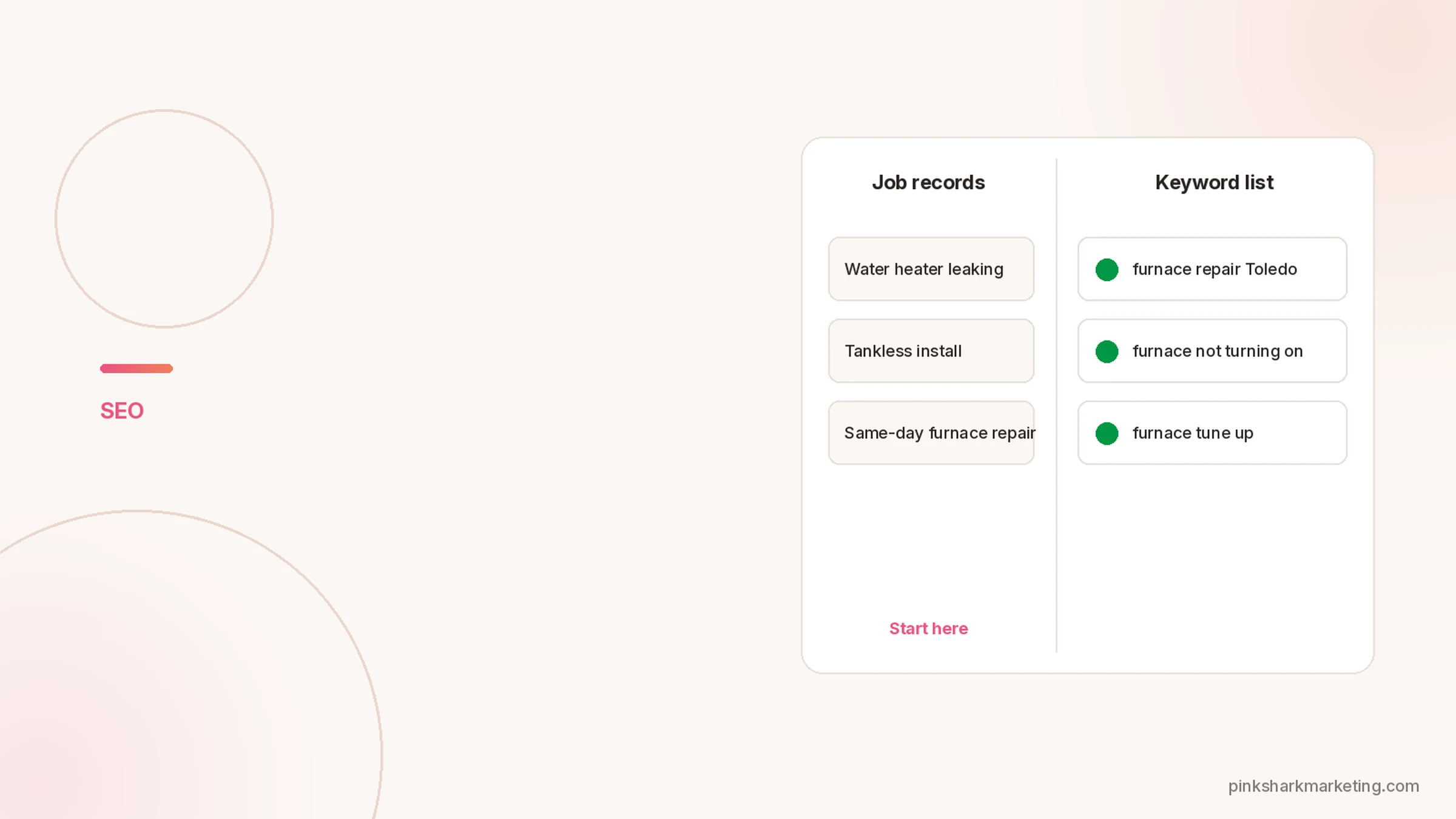
A drain-cleaning company does not need a page for every plumbing term in the country. It needs the phrases its own customers already use, in the towns it already serves. Local keyword research is how you build that shorter list, then decide which terms belong on a service page, which belong in ads, and which you should leave alone.
The work starts in your job records, not in a national volume column. Keyword Planner and Search Console help you check and expand that list. They do not replace it.
Local keyword research starts with the jobs you already do
Open a few months of invoices, call logs or dispatch notes. Write down the service in the customer’s words, the town, and the problem they called about. “Water heater leaking” and “tankless install” may both live under plumbing in your software, and they are different searches.
Do the same for the towns where you actually complete work. A phrase tied to a city you rarely visit is a weak target, even if the tool shows a large number next to it. If you cannot do the job, or you do not travel there, leave the term off the page.
This first list is a practical step, not a Google-documented method. It gives Keyword Planner and Search Console something true to work with.
Use Keyword Planner with your service area in mind
Keyword Planner is a Google Ads tool for researching keywords for Search campaigns. It can suggest terms related to your services or website and show estimates of how many searches they get and what ads may cost. To use basic features such as “Get ideas for new keywords,” the help page says you must finish account setup and enter billing information.
There are two starting points. Discover new keywords lets you enter words, a website, or both. Get search volume and forecasts is for a list you already have. After you run either one, set the location in the Targeting panel. You can enter countries, territories, regions and cities. If you clear those entries, the tool switches to All locations. For a shop that only serves a few counties, keep the location set to that area.
Read the numbers as estimates, with the settings you chose. Average monthly searches is the average number of times people searched for a keyword and its close variants, based on the month range plus the location and Search Network settings you selected. Those historical stats are shown for exact matches only. Forecasts are a separate view. They are refreshed daily, based on the last 7 to 10 days and adjusted for seasonality, and they also factor in bid, budget and historical ad quality when they estimate future performance.
A high estimate is not a reason to add a service you do not offer. If the tool suggests “emergency plumber” and you only do scheduled drain work, keep it off the ad group and off the service page.
Use Search Console to see queries you already appear for
Search Console reports the queries that already showed your site. In the Performance report, open the Queries tab and sort by clicks, click-through rate or impressions. The queries in that table are exact matches, ignoring case. Click one query, then open the Pages tab to see which of your URLs Google showed for it.
Two filters are worth using early. The branded and non-branded filter splits queries that include your business name, domain or a brand-specific service from the ones that do not. Country and device filters help you see whether a term is showing in the countries or on the devices you care about.
The table is incomplete on purpose. It can show at most 1,000 rows, so some rare or long-tail queries may be missing from the list and still counted in the chart. Anonymized rare queries are left out of the query table too, and the report also omits some queries searched a very small number of times. Collected data is usually available in 2 to 3 days, and daily totals (except the 24-hour view) are labeled in Pacific Time.
If a term you care about has impressions and almost no clicks, the Performance help page suggests looking at the titles and snippets Google showed, then improving the page if those lines do not answer the query. It also says not to assume you need to capture 100% of a query.
Write the pages in the words people use
The SEO Starter Guide tells you to think about the words a user might search for. People who know the work may use different terms than people who do not. The guide’s example is “charcuterie” and “cheese board.” A service-business version is “tankless water heater installation” next to “replace a leaky water heater.” Anticipating that difference, the guide says, could help how the page does in results. You do not have to list every variation. The same guide notes that Google’s language matching can relate a page to many queries even when the exact wording is not on it.
What to avoid is also named. Keyword stuffing, which means excessively repeating the same words over and over even in variations, is tiring for readers and is against the spam policies. Google Search does not use the keywords meta tag. The length of the content alone does not matter for ranking, and there is no magical word count. Keywords in a domain name or URL path, on their own, have hardly any effect beyond appearing in breadcrumbs.
The helpful content questions are a useful check once a draft exists. One asks whether the content clearly demonstrates first-hand expertise, such as knowledge that comes from actually using a service or visiting a place. Another asks whether it provides substantial value compared with other pages in the results. Job photos, permit notes and the questions your staff already hear will do more for those tests than a longer keyword list.
Fictional example, not a client: an HVAC company in Toledo writes down a winter of call reasons and sees “furnace not turning on,” “same-day furnace repair” and “furnace tune up” far more often than the generic word “HVAC.” It builds one service page around furnace repair, uses Keyword Planner with Toledo set as the location to check close variants for ads, and uses Search Console to see which of its pages already appear for those queries. It does not publish a thin page for every wording the tool suggests.
What to leave off the list
Skip terms for jobs you do not perform. Skip cities you do not serve. Skip stuffing a paragraph with every nearby town name just to cover the variants. And skip turning each close variant into its own thin page. If two phrases describe the same job in the same area, they usually belong on one clear page.
Local keyword research should shrink the list to terms you can fulfill.
If you want a second set of eyes on the terms and pages, see local SEO services or contact Pink Shark. For paid search on the same list, see Google Ads management.
FAQ
Is Keyword Planner only for ads?
It lives in Google Ads and is documented as a tool for researching keywords for Search campaigns, including estimates of searches and ad cost. Many teams also use those ideas when they plan service pages. The estimates still depend on the location, date range and network settings you choose, and historical average monthly searches are shown for exact matches only.
Why don’t I see every search I rank for in Search Console?
The query table can show at most 1,000 rows, and anonymized rare queries are omitted from that table. The report also leaves out some queries searched a very small number of times, to protect privacy. Chart totals can include rows the table does not show, so a missing line is not proof that the query had no impressions. Anonymized rare queries stay in the chart totals unless a query filter is applied.
Do I need a separate page for every keyword?
No. The Starter Guide says you do not have to anticipate every variation, and keyword stuffing is against the spam policies. If two phrases mean the same job in the same area, keep them on one page written in plain language. A new page is for a different service or a town you can actually write about.
Should I trust the volume number in Keyword Planner?
Treat it as an estimate. Average monthly searches is an average for a keyword and its close variants, based on your month range, location and Search Network settings. Forecasts are refreshed daily from the last 7 to 10 days and adjusted for seasonality, and they also take bid, budget and historical ad quality into account. They are not a promise of traffic.
Want a second set of eyes on your marketing?
Tell us about your business and we’ll set up a strategy session.