Google Advertising
Local Services Ads Budget and Bidding Settings
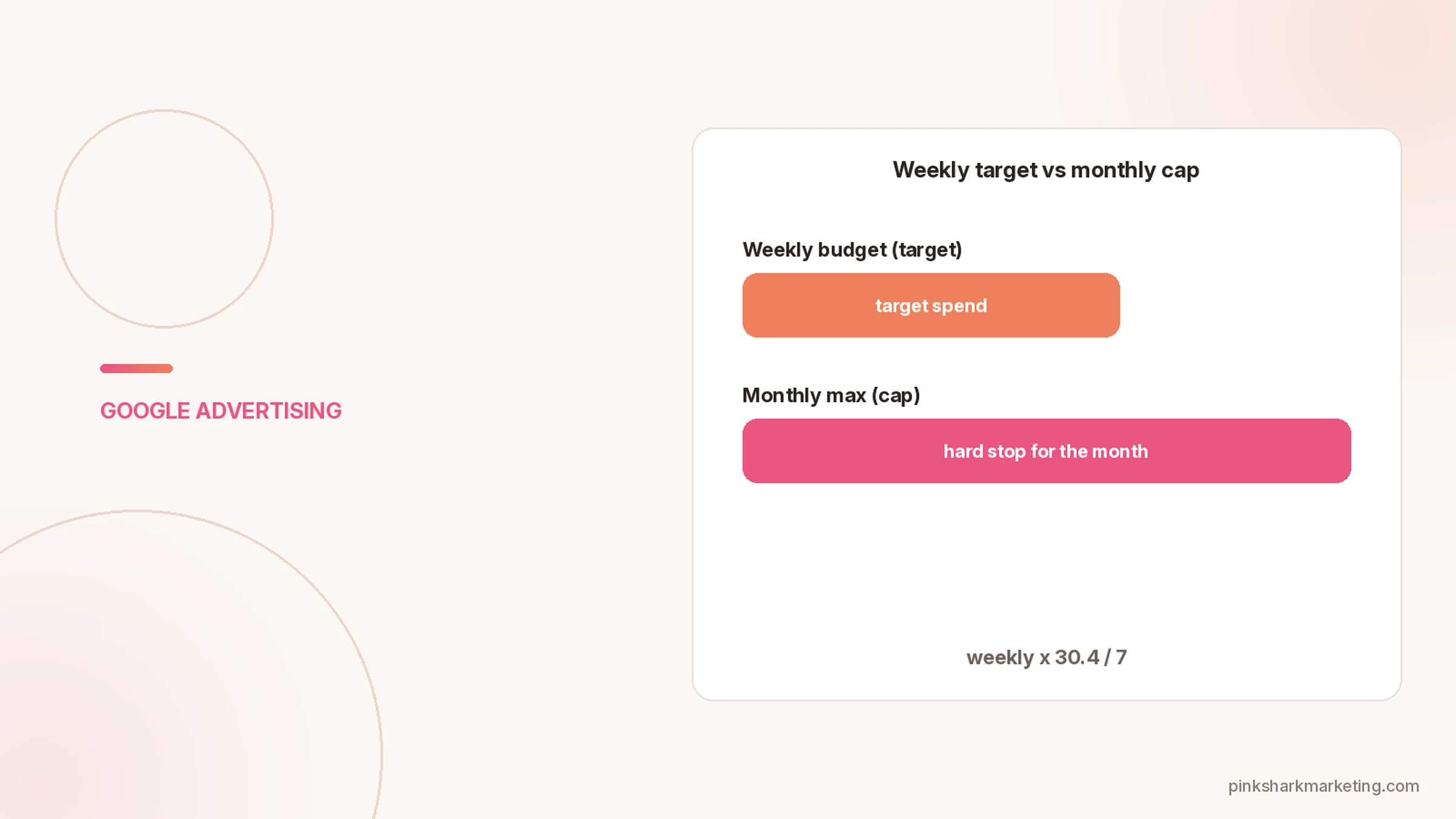
A roofer can raise a Local Services Ads weekly budget on a busy Monday and still watch the ad disappear later in the month. The weekly number is a target. The monthly max is the cap. Mixing those two up is how a shop thinks the account is broken when it has simply hit the ceiling the help pages already describe.
This post is about Local Services Ads budget and bidding: the weekly target, the monthly max, the three bid modes in the Local Services inbox, and what Google says changes if the account moves into a Performance Max campaign with pay-per-lead goals. It is not a weekly management checklist. That sits in the existing Local Services Ads management post.
Average weekly budget and the monthly max
In the Local Services Ads account, budget is set as an average weekly figure. The “How to edit your budget” help page says that number is the target spend, and that Local Services Ads will try to deliver leads based on it each week. In some weeks spend can land under that target. In other weeks, if demand is high, spend can go over it.
The hard stop is the monthly max. The same page says you will never exceed that amount, and it gives the formula: average weekly budget times 30.4, divided by 7. 30.4 is the average number of days in a month. Once the monthly max is hit, the ad no longer appears for the rest of the month unless the budget is changed. The “How leads work” page says the same cap in other words, and it says to set the weekly budget from the average number of leads you want in a week.
You can change the budget at any time from Profile & budget. After a change, the new weekly number is used to figure out what you can still spend in the days left in the month, no matter how much has already been spent. The help page’s own example: if a $100 weekly budget is raised to $140 on January 18, with 14 days left in the month, remaining eligibility is $280 ($140 divided by 7, times 14 days). A cut uses the same remaining-days math. Those figures are Google’s examples, not a recommended budget for any trade.
The three Local Services Ads bid modes
A bid, on the “How bidding works” page, is the most you would pay for a lead. You only pay when you get a lead. There are three modes:
- Maximize leads: Google sets the bid and tries to get the most leads for the budget. The page calls this automated bidding and recommends it for both single-vertical and multi-vertical advertisers. It also says it is recommended to set a minimum budget of 10 leads per week for optimal results.
- Target cost per lead (tCPL): automated bidding with an optional target. You can use Google’s recommended target or set your own, which the page describes as around the average you will pay for leads.
- Max per lead: manual bidding. You set your own bid limit, the most you would pay for a lead.
The bidding help page notes that it takes about two weeks to see accurate results as the model adjusts and learns about the business. Weekly lead targets depend on the bidding mode and the weekly budget. For Max per lead and Target cost per lead, the bid per lead also affects that weekly target.
Lead prices are not one number for every shop. The “How leads work” page says prices may vary by location, job type, type of lead, or bidding mode, and that each valid lead counts toward the budget. Message leads are typically priced lower than the matching phone lead, though that is not always the case. Those are Google’s statements about how pricing can differ, not a rate card.
Bid is only one part of the auction
Budget and bid do not sit alone. The “About ad rankings” page says listings are ranked by an auction that takes bid and overall profile quality into account. The bid is the maximum you are willing to pay for a lead, though you may pay less. The page also recommends Maximize Leads, and it says providers with equivalent quality and budgets who use that mode typically get more leads than those who do not.
Responsiveness and reviews still matter in that same auction. A higher bid will not fix missed calls or a thin profile. The management guide covers those quality pieces. The point here is simpler: do not treat bid as the only lever.
If the account is moving into Google Ads
Google is moving Local Services Ads into the Google Ads platform as Performance Max campaigns with pay-per-lead goals. The transition help page says ads still appear on Google Search and Google Maps in the same positions, targeting stays keywordless, and you still pay for valid leads rather than clicks. The dashboard is what changes.
The rollout is phased, not a single cutover. It began in August 2026 for select U.S. home and storefront advertisers, expands later in 2026 to broader groups (including service-area businesses without a storefront), and continues in 2027 for non-U.S. accounts and remaining categories. This post cannot tell a given shop whether its account has already moved. The transition page says the account administrator gets an email 14 days before the date, plus dashboard banners and a later reminder.
On transition day, the historical average weekly budget is divided by 7 to set a daily average budget. Monthly spend will not exceed that daily average times 30.4, though daily spend can fluctuate on busy days inside that monthly limit. Manual bidding, such as a maximum cost per lead, is no longer supported, and vertical-level Target CPA is dropped. If different trades need different rules, the documented path is separate campaigns.
In Google Ads, these campaigns use automated bidding only. Maximize Conversions is the default and tries to get as many leads as possible inside the daily budget. The best-practices page says to set a Target CPA only after the campaign consistently gets more than 15 leads a month and the cost per lead is higher than you want, and it warns that the switch may restrict delivery. Under 15 leads a month, that page says to stay on Maximize Conversions.
After a move, a login to the old Local Services Ads dashboard redirects to Google Ads. Until the account actually moves, the older help pages still point budget and bid edits to Profile & budget in the inbox. Use the interface that matches the account in front of you.
A practical way to pick the first number
Google’s pages tell you how the weekly target, the monthly max and the bid modes work. They do not tell a plumber what dollar amount to enter. The note below is practical advice, not a Google rule and not a benchmark.
Start from how many new jobs the crew can actually take in a normal week. Translate that into a weekly lead target only after you know, from your own records, how many of those leads usually become booked work. Then check the monthly max that weekly budget will create (weekly budget times 30.4, divided by 7), and ask whether that ceiling is acceptable if a busy week spends more than the weekly target.
Give a change a couple of weeks before judging it. Both the classic bidding page and the transition page talk about a roughly two-week stretch while performance settles.
Fictional example, not a client: an HVAC company in Riverside sets a weekly budget it can live with if July spends all the way to the monthly max, not only if every week lands on the target. Mid-month it raises the weekly number and uses Google’s remaining-days math to see what that unlocks for the rest of July, instead of treating the new weekly figure as a fresh monthly cap.
If you want help reading an LSA or Google Ads budget against booked jobs, see Google Ads management or contact Pink Shark. For the weekly LSA routine around reviews, hours and lead quality, see Google Local Services Ads management.
FAQ
Can I spend more than my weekly Local Services Ads budget?
Yes, in a given week. The budget help page says the average weekly budget is a target, and spend can go over it when demand is high. The cap is the monthly max (average weekly budget times 30.4, divided by 7). Once that monthly max is hit, the ad stops showing for the rest of the month unless you change the budget.
Which bid mode should I use?
For accounts still in the Local Services inbox, the bidding and rankings pages recommend Maximize leads. Target cost per lead and Max per lead are the other two documented modes. For accounts that have moved into Google Ads, pay-per-lead campaigns use automated bidding only: Maximize Conversions is the default, and Target CPA is the later option the best-practices page ties to more than 15 leads a month.
What happens to my weekly budget if the account moves into Google Ads?
The transition page says the historical average weekly budget is divided by 7 to set a daily average budget. Monthly spend will not exceed that daily average times 30.4. Manual maximum-per-lead bidding is dropped. Check the email and dashboard banners for the actual move date; this post cannot see a given account.
Do I only pay when someone books a job?
No. Local Services Ads charge for valid leads, such as phone calls and messages, not for booked jobs and not for ad clicks. Lead prices can vary by location, job type, lead type or bidding mode. Invalid or low-quality leads are a separate credit topic, covered in the lead-credit help pages, not in this budget guide.
Want a second set of eyes on your marketing?
Tell us about your business and we’ll set up a strategy session.