SEO
How to Write a Service Page That Ranks and Converts
A plumber can publish a “Plumbing Services” page that names every town within an hour, repeats “plumber” twelve times, and still leave a homeowner unsure whether the shop will fix a leaking water heater this week. The page is long. It is not useful. Service page SEO starts with a page written for one job a real customer would hire you to do, in the words that person would actually use.
This post is about those service pages: the furnace repair, drain cleaning or roof replacement page on a local business site. It is not a city-page checklist. Service area pages are a different job, and they have their own guide. It also does not walk through keyword tools. The work here is what goes on the page once you already know the job and the towns you serve.
Service pages are not city pages
A service page should explain one offering. A city page, when you even need one, is about doing that work in a particular town. Blending the two is how a site ends up with a dozen thin URLs that all say the same thing with a different place name swapped in.
If the question is which towns deserve their own page, and what those pages must contain so they are not doorway-style copies, use the service area pages SEO checklist. The rest of this article stays on the service URL: the page a person should land on when they already know the job they need.
Write for the person who needs the job done
The SEO Starter Guide says to think about the words a user might search for, and it notes that people who know a topic may use different words than people who do not. Its example is “charcuterie” and “cheese board.” A service-business version is “tankless water heater installation” next to “replace a leaky water heater.” Anticipating that difference, the guide says, could help how the page does in results.
You do not have to list every variation. The same guide says Google’s language matching can relate a page to many queries even when the exact wording is not on it. The practical move, and this part is a working method rather than a Google rule, is to start with the phrases on invoices and call notes, then write the page so a first-time customer and a repeat customer can both recognize the job.
Google Search Essentials makes the same idea more specific for the page itself: use the words people would use to look for the content, and put those words in prominent places, such as the title and the main heading, and in other descriptive spots such as alt text and link text.
The title link in search results, the Starter Guide explains, is the headline people use to decide which result to click. Google can build that title link from the title text and from other headings on the page. Write a title and an H1 that name the job in plain language. “Water Heater Repair in Long Beach” tells a person more than “Premier Plumbing Solutions.”
What unique and useful looks like on a service page
The Starter Guide says creating content people find compelling and useful will likely influence a site’s presence in results more than the other suggestions in that guide. It then lists attributes that kind of content usually shares: the text is easy to read and well organized, it is unique, it is kept up to date, and it is helpful, reliable and people-first.
Unique, in that guide, means you do not copy other people’s content in part or in full. Write it yourself from what you know about the work. Easy to read means writing naturally, breaking long copy into paragraphs and sections, and using headings so people can find their way. People-first, in the helpful content guidance, means the page is created primarily for people, not to manipulate rankings.
That helpful content page also offers questions that are a fair test of a service URL. Does the page clearly show first-hand expertise, the kind that comes from actually doing the work or visiting a place? After reading it, will someone feel they have learned enough to make a decision? Does it provide substantial value compared with other pages in the results? A yes is the direction to write toward. A page of generic praise and a copied process list will not get there.
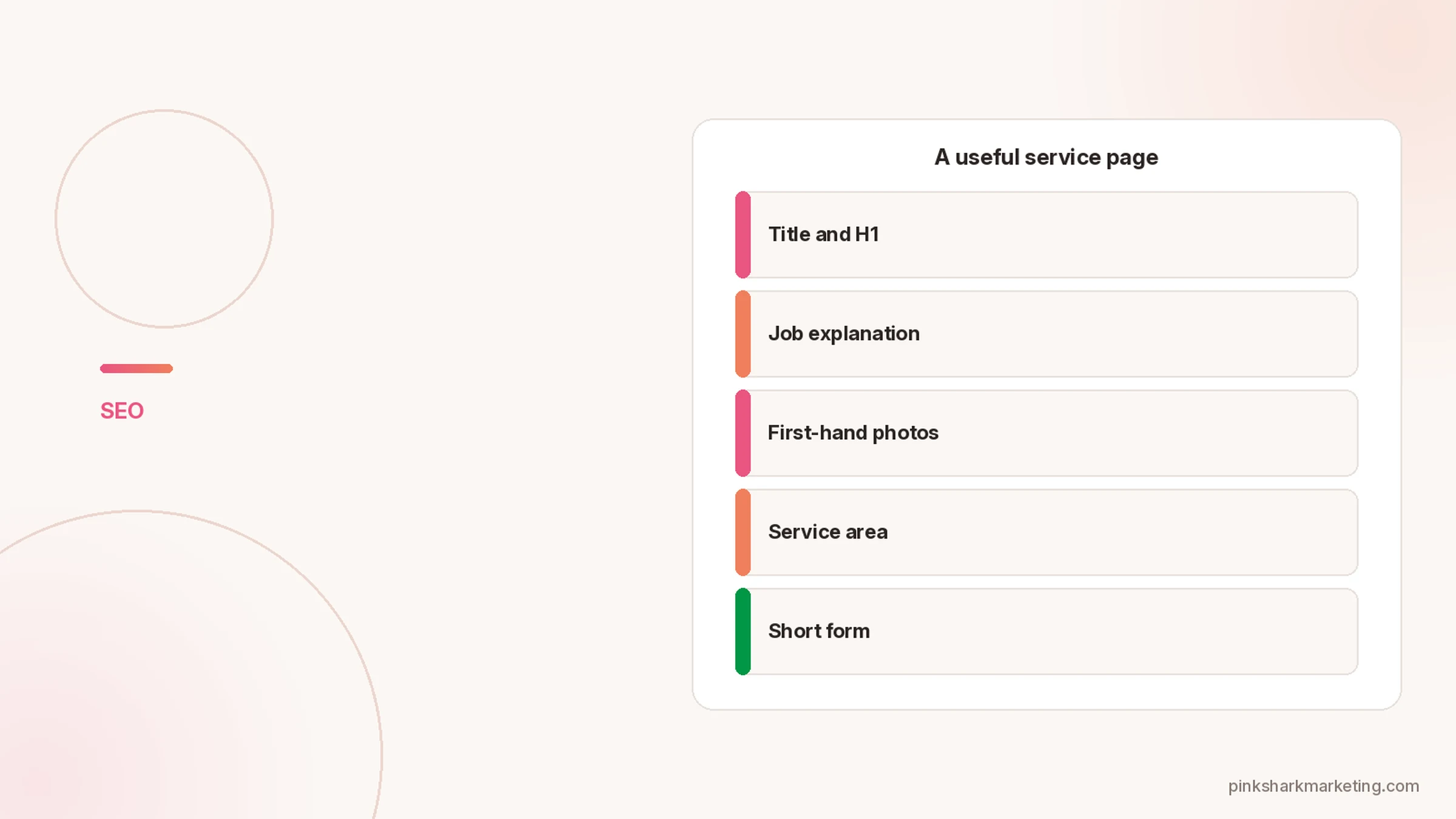
What to put on the page is, from here, practical advice, not a Google-mandated outline. For a local service business, a useful service page usually does a few concrete jobs:
- Names the work in the customer’s words, and says who it is and is not for.
- Explains how the visit or the job actually goes, including what the customer needs to have ready.
- Shows first-hand detail the shop already has: photos of the work, the questions the crew hears, permit or access notes, or the difference between a repair and a replacement.
- States the area you will travel to, without turning the page into a town-name list.
- Makes the next step obvious: a short form, a phone number, or a booking path, written next to the work being offered.
None of that is a promise that a longer page will rank higher. The Starter Guide is plain on length: the length of the content alone does not matter for ranking, and there is no magical word count, minimum or maximum.
What to leave off the page
Keyword stuffing is named in the Starter Guide and is against the spam policies. Excessively repeating the same words, even in variations, is tiring for readers. Google Search also does not use the keywords meta tag, so stuffing a hidden list of terms does not help. Keywords in a domain name or URL path, on their own, have hardly any effect beyond showing up in breadcrumbs.
Skip a separate thin page for every close wording of the same job. If “furnace not turning on” and “same-day furnace repair” describe the same work in the same area, they belong on one clear furnace-repair page. A new service page is for a different job, or for a substantially different offer, not for a synonym.
Skip copying a competitor’s service page and swapping the business name. The Starter Guide’s uniqueness point is the reason, and it is also a poor way to convert anyone who can tell the page could have been written about any shop in the county.
Make the next step obvious
Search guidance will not give you a booking-rate target, and this post does not invent one. The conversion side of a service page is still a writing job. If a person has just read how a water-heater replacement works, the next step should be on that same page, in language that matches the job, not a generic “submit” at the end of an unrelated contact block.
Keep the request short, and ask only for what the crew needs to call back. If the form is the weak point, that is a form-design problem, not a reason to add another paragraph of keywords. The practical test is simple: can a tired homeowner, on a phone, tell what will happen after they reach out?
Fictional example, not a client: a drain-cleaning company in Pasadena replaces a one-paragraph “We do all plumbing” page with a drain-cleaning page that talks about standing water, camera inspections and after-hours backups, using the wording from a season of call notes. The title and H1 name drain cleaning. Photos from actual jobs sit next to a short form that asks for the address, the symptom and a window to call. The shop does not also publish a second thin page for “clogged drain” and a third for “drain snake.” Those phrases stay on the same page.
If you want help planning the pages or the site they sit on, see SEO services or website design, or contact Pink Shark. For city pages, use the service area pages checklist instead of turning every service URL into a town list.
FAQ
Do I need a separate service page for every keyword?
No. The Starter Guide says you do not have to anticipate every variation, and keyword stuffing is against the spam policies. If two phrases mean the same job in the same area, keep them on one page written in plain language. A new page is for a different service, not a synonym.
How long should a service page be?
There is no magical word count. The Starter Guide says the length of the content alone does not matter for ranking, with no official minimum or maximum. Write enough that a person can understand the job, see that you actually do it, and take the next step. Stop when more words would only repeat the same point.
Is a service page the same as a city page?
No. A service page explains the work. A city page, when you need one, is about doing that work in a specific town and has to be more than a name swap. Thin city copies are a doorway risk, which the service area pages guide covers. Do not try to make one URL do both jobs by pasting a list of towns into the service copy.
Will a better title alone make the page rank?
A clear title and H1 help people recognize the page in the results, and Search Essentials says to put the words people search in those prominent spots. They do not replace unique, useful content. The Starter Guide puts compelling, useful content ahead of the other on-page suggestions in that guide.
Want a second set of eyes on your marketing?
Tell us about your business and we’ll set up a strategy session.